

Download Screen Block Grabber – Free, Secure Screen Capture Tool for Windows & Mac
Screen Block Grabber is a powerful yet lightweight desktop tool designed for anyone who needs to capture and preserve visual content from their screen. Whether you're documenting a bug, saving a crucial piece of information from a webpage, or creating tutorial content, this software makes it easy to take high-quality screenshots with precision. With support for full-screen captures, custom region selection, and advanced editing features, Screen Block Grabber stands out among free screen capture tools.
It’s compatible with both Windows and Mac, offering a seamless experience across platforms. The app is completely free to download and use, with no hidden fees or watermarks. Its intuitive interface allows even beginners to capture, edit, and share screenshots in seconds.
With built-in effects, a magnifier tool, and one-click upload options, Screen Block Grabber goes beyond basic screenshot functionality to deliver a complete visual documentation solution.
Key Features of Screen Block Grabber
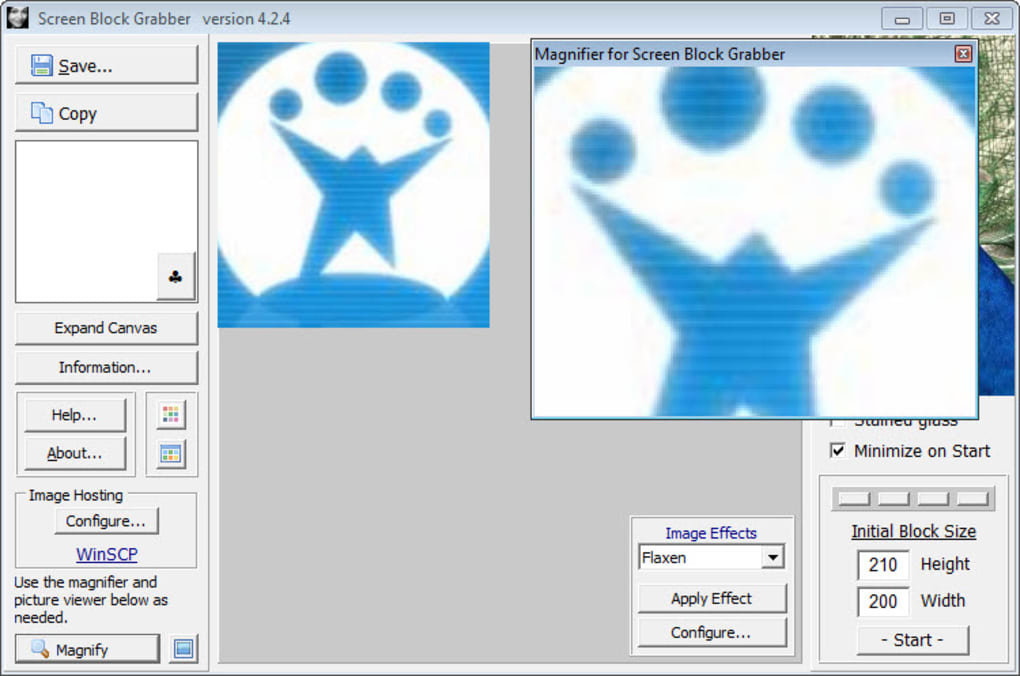
Screen Block Grabber isn’t just another screenshot tool—it’s a full-featured screen capture software packed with practical tools. One of its standout features is the ability to capture any portion of your screen with pixel-perfect accuracy. You can select a custom region, capture the entire screen, or target a specific window. This flexibility makes it ideal for content creators, educators, technical support teams, and casual users alike. The app also includes a built-in image magnifier, which allows you to zoom in on your screenshot to inspect fine details—perfect for proofreading or verifying small text.
Another unique advantage is the customizable image effects. You can adjust depth and threshold settings to apply filters that enhance contrast, blur backgrounds, or highlight key areas. While the effects apply globally (not selectively to parts of the image), they still offer a creative edge for presentations or tutorials. The software also supports direct online hosting, letting you upload your screenshots instantly to cloud storage with just a few clicks. This is especially useful for sharing images in real time with colleagues or clients.
For those who prefer keyboard shortcuts, Screen Block Grabber offers customizable hotkeys, allowing you to trigger captures without interrupting your workflow. You can also set automatic save locations and file naming conventions to keep your screenshots organized. All these features are available in the free version, making Screen Block Grabber a rare gem among free screen capture tools. Whether you're on a Windows PC or Mac, you’ll find the software responsive and reliable.
How to Install and Use Screen Block Grabber
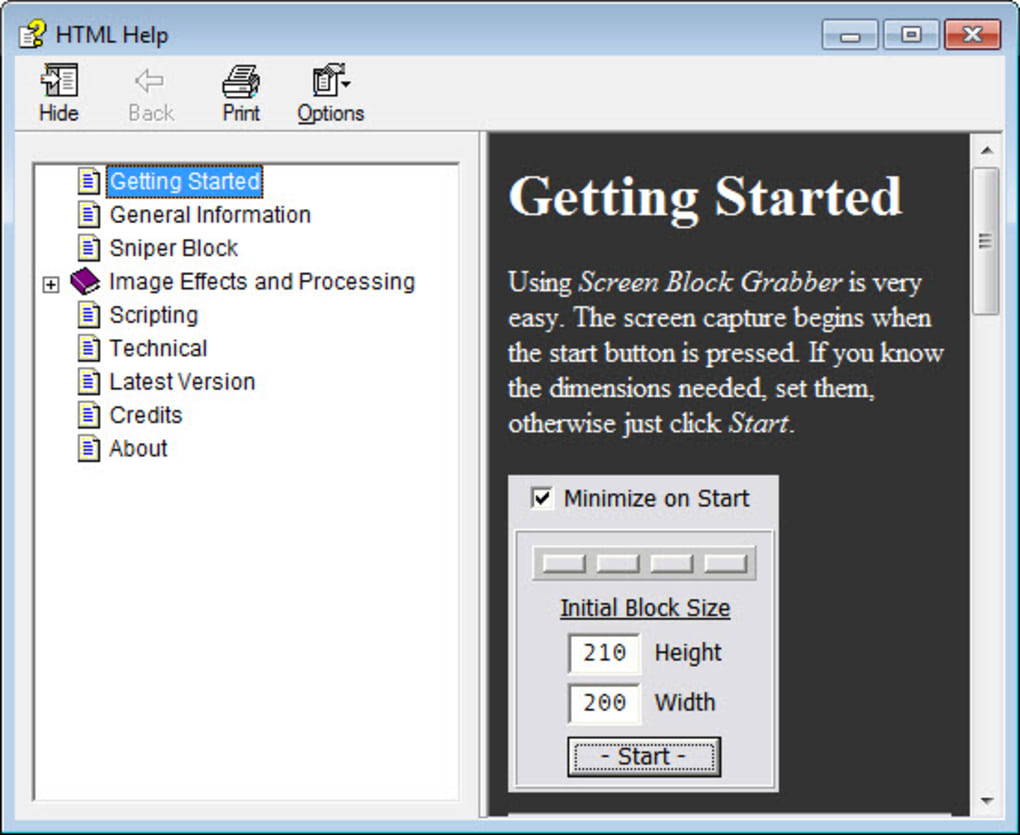
Getting started with Screen Block Grabber is simple and requires no technical expertise. Begin by visiting the official website and downloading the installer file for your operating system—either Windows or Mac. The download is free, secure, and virus-free.
Once the file is downloaded, run the installer and follow the on-screen prompts. The setup process is quick, typically taking less than a minute. After installation, launch the app from your desktop or applications folder.
Upon opening, you’ll be greeted with a clean, if slightly dated, interface. To take a screenshot, click the “Capture” button or use your assigned hotkey (default is Ctrl+Shift+S). You can then choose between full-screen capture, window capture, or custom region selection.
Drag your cursor to define the area you want to capture. Once satisfied, click to confirm. The screenshot appears in the editor window, where you can apply effects, crop, annotate, or zoom in using the magnifier tool.
After editing, click “Save” to store the image locally or “Upload” to share it instantly. You can also copy the image to the clipboard for quick pasting into emails, documents, or social media. For frequent users, the app remembers your last capture settings, so you don’t have to reconfigure every time. Regular updates are released to improve performance, fix bugs, and add minor enhancements, ensuring a smooth experience over time. The software is lightweight and doesn’t consume significant system resources, making it suitable for older machines as well.
Compatibility & System Requirements
Screen Block Grabber is designed to work seamlessly across multiple platforms. It supports all major versions of Windows, including Windows 10, Windows 11, and Windows 8.1. On Mac, it’s compatible with macOS Big Sur, Monterey, Ventura, and Sonoma. The software requires a minimum of 1 GB of RAM and 50 MB of free disk space, making it suitable for both modern and older devices. It runs efficiently on systems with Intel and Apple Silicon processors, ensuring broad accessibility.
One of the key advantages of Screen Block Grabber is its cross-platform consistency. The interface, features, and performance are nearly identical on both Windows and Mac, so users can switch between devices without relearning the workflow. The app also integrates well with other software—screenshot files can be opened in Photoshop, Paint, or any image editor. Additionally, it supports common image formats such as PNG, JPG, and BMP, giving you maximum flexibility in how you use your captures.
For users who work across multiple devices, the ability to use the same tool on both platforms is a major plus. Whether you're a student using a Windows laptop at school or a designer working on a Mac at home, Screen Block Grabber maintains a consistent experience. The software does not require an internet connection to function, though online hosting requires a stable connection. Overall, its broad compatibility and low system demands make it a reliable choice for anyone looking for a free, secure, and versatile screen capture tool.
Pros and Cons of Screen Block Grabber
- Pros:
- Free to download and use with no watermarks
- Supports full-screen, window, and custom region captures
- Includes a built-in image magnifier for detailed inspection
- Offers customizable image effects (depth and threshold)
- One-click online hosting for quick sharing
- Lightweight and low system resource usage
- Available for both Windows and Mac
- Customizable hotkeys for faster workflow
- Cons:
- Effects apply globally—no selective area filtering
- Interface appears slightly outdated and clunky
- Limited annotation tools compared to premium alternatives
- No built-in OCR (text recognition) feature
- Upload options may require third-party account setup
FAQ – Frequently Asked Questions
- Is Screen Block Grabber free to download and use?
-
Yes, Screen Block Grabber is completely free to download and use. There are no hidden charges, subscription fees, or watermarks on captured images. The full feature set is available in the free version.
- Can I use Screen Block Grabber on both Windows and Mac?
-
Absolutely. Screen Block Grabber is available for both Windows and Mac operating systems, offering a consistent experience across platforms.
- Does Screen Block Grabber support keyboard shortcuts?
-
Yes, you can customize hotkeys for capturing screenshots, saving, and uploading. This helps streamline your workflow and reduces the need to navigate the interface.
- Can I edit my screenshots after capturing them?
-
Yes, the built-in editor allows you to crop, apply effects, zoom in with the magnifier, and annotate your screenshots before saving or sharing.
- Is there a limit to how many screenshots I can take?
-
No, there is no limit on the number of screenshots you can capture. You can use the tool as much as needed without restrictions.
Final Verdict: Is Screen Block Grabber Worth It?
Screen Block Grabber delivers a solid, feature-rich experience for anyone needing a reliable screen capture tool. While its interface may not be the most modern, its functionality more than makes up for it. With support for multiple capture modes, built-in editing tools, and seamless online sharing, it’s a well-rounded choice for students, professionals, and casual users alike. The fact that it’s free, secure, and regularly updated adds to its appeal. If you’re looking for a lightweight, cross-platform solution to capture and preserve visual content, Screen Block Grabber is definitely worth downloading.
Ready to take control of your screen captures? Click below to download Screen Block Grabber today—free, fast, and secure.







